
Photo in. QR menu out.
Take a photo of your paper menu or upload the PDF. AI turns it into a complete digital menu with every category, dish and price. Print your QR codes and you are live, on every phone and as a full website on desktop.
Snap your menu, AI builds it, print the QR. Done.
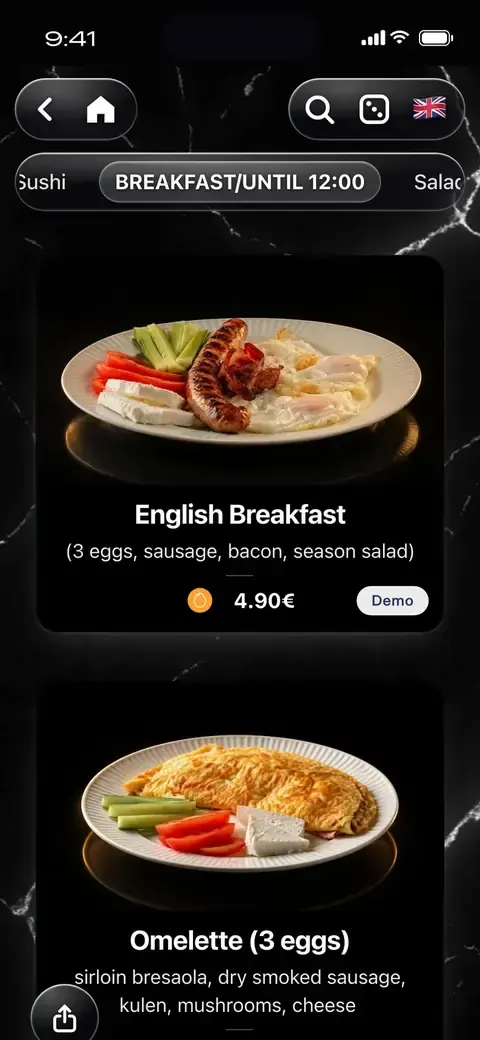
Your paper menu, live in minutes.
Photograph it or upload the PDF. The AI reads every dish, price, ingredient and allergen, translates it into your languages and builds the whole menu. You check it, press Publish and print your QR codes.
- 1
Photo or PDF
Photos of every page or the PDF you already have, up to 40 pages. No typing.
- 2
AI reads every line
If your menu disagrees with itself about a meat or an allergen, the AI asks you, and the menu cannot go live until you answer.
- 3
Publish and print
Press Publish and print your QR codes. Guests open it on their phones, and on a laptop it becomes a full website.

Upload your logo and get three designs made to match it: colours and font styles, ready to use or fine-tune.
A QR menu your guests will love.
What your guests see
- 1Point the camera
- 2Tap the link
- 3The menu opens

Scan the code, the menu opens
Guests point their phone camera at the QR code on the table, tap the link, and your menu opens in the browser. No app to download, no account to make.
Point the camera, tap the link, the menu opens. No app.
24 languages, no reload
Guests switch language and the words change in place. The page and the scroll position stay exactly where they were. Arabic menus read the way Arabic is read: the whole layout mirrors, text starts from the right, and the menu is written in Arabic letters.
Guests switch language and the words change in place. The page and the scroll position stay exactly where they were.
Find any dish in a few letters
Guests start typing and the dishes appear as cards, photo and price included, with the matching letters highlighted. Tapping an allergen lists every dish that contains it, one tap from the next allergen.
Guests start typing and the dishes appear as cards, photo and price included, with the matching letters highlighted.
Your menu is also your website
Every menu gets its own address on doxmenu.com. Put it on Google Maps, Instagram and WhatsApp: on a phone it opens as your menu, on a laptop as a full website with up to four columns.
Every menu gets its own address on doxmenu.com.
Found on Google and in AI answers
Your menu gets its own page with your venue’s name in the title, and every dish and price is written in the structured form that search engines and AI assistants read. In the last 90 days our clients’ menus got 17,799 clicks from Google, some from searches like “skopje restaurants”.
Your menu gets its own page with your venue’s name in the title, and every dish and price is written in the structured form that search engines and AI assistants read.
Service that sells
One tap. Instant service.
Switch on table service and guests call the waiter, ask for the bill or order straight from their phone, then follow the order live until it arrives. Faster service, fewer interruptions, happier guests.
With table service on, guests call the waiter, ask for the bill or order from the table.
Promote, partner and profit
Put your most important messages front and center. Set up a pop-up to sell a specific dish, announce an offer or promote a local event, and give it a start and end date so it runs on its own. You can even open up a new income stream by featuring paid ads from other businesses right inside your menu.
Pop-ups with start and end dates, for your offers or your partners' ads.
Who pays? Six table games
Spin the Fork, Lowest Dice, Finger Roulette, Wheel of Misfortune, Card Cut and Air Hockey, in your venue’s colours. You switch them on or off from the dashboard.
Spin the Fork, Lowest Dice, Finger Roulette, Wheel of Misfortune, Card Cut and Air Hockey, in your venue’s colours.
Built by you, in minutes
Update your menu in seconds
Change prices, photos, categories or dishes anytime from your dashboard, and hide a sold-out dish in one tap.
Add languages with automatic translation and show allergens on every dish, so every guest feels informed and comfortable.
Starting from paper? Upload photos or a PDF of your menu and AI builds a draft with the dishes, prices and allergens, ready for you to check and publish.
Change a price or hide a sold-out dish in seconds, from your phone.
Make it look like your place
Upload your logo and your own background, then pick one of 16 font styles and 70 ready-made colour palettes, or set every colour yourself. A live preview shows it on the real menu before you save.
Your logo, your background, 16 font styles and 70 colour palettes.
Pop-ups with a start and end date
Set a first and last day for your pop-up ad and it shows only in between. Lock it for its timer, 1 to 10 seconds, so guests see the whole offer.
Faster on every phone
Photos load a screen and a half ahead of the guest, wallpapers and pop-ups arrive at about half the size, and cards keep their shape while photos load.
Dietary tags
Dairy free, Halal, Kosher, Honey and more: tags guests see on a dish and can search by.
A welcome that sets you up
A fresh account answers one question per screen, then picks how to build the first menu: from a template, with AI import from a photo or PDF of your menu, or from blank.
The dashboard in your language
The dashboard is translated into 23 languages and can follow your phone into dark mode.
Menu links that preview well
Paste your menu link into WhatsApp, Viber, Facebook or Telegram and it shows your venue’s own name, not a generic card.
Real menus. Real designs.
Our clients’ menus as their guests see them: their own logos, colours and photos, made in doXmenu. A few are shown in one of our 16 font styles and 70 palettes.
Run it all from one simple dashboard
Menus, prices, photos, languages and design in one place. Every change is live the moment you save.
Running on doXmenu since 2020
Since 2020, restaurants, bars, cafés and hotels have run their digital menu on doXmenu, from Skopje and Budva to Linz and Halkidiki, and since August 2026 in Iraq too.
What clients say and do
„The menu won us over right away. We did the whole design and all our menus in one sitting, and we paid on the very first day, without waiting for the free month to end.“Open their menu →
A beach club menu in the Maldives: Maldivian, Sri Lankan, Indian, Thai and Chinese dishes, 95 in all, in English and five more languages, every dish added within a single minute.
Open their menu →„We have been using doXmenu since 2021. People see the pizza photos and they get excited before they even order. That never happened with a paper menu.“Open their menu →
„Our guests scan the QR, pick their language and just order. It's so simple and they love it.“Open their menu →
„When the season changes I want the menu to feel different too. I update the design myself, no one helps me, takes maybe 10 minutes. I really like that.“Open their menu →
„We used to reprint the menu every time a price changed. Now I just open my phone, change it, and it's done. Saves us money every single month.“Open their menu →
Guests from all over the world open the menu in their own language: Russian, Turkish, Italian and four more, all from one QR code.
Open their menu →Italian first, then English, French, Spanish and Albanian: seven menus, from coffee to food, on one QR code.
Open their menu →Coffee, cakes and breakfast on one QR code, in German, English, French and Spanish.
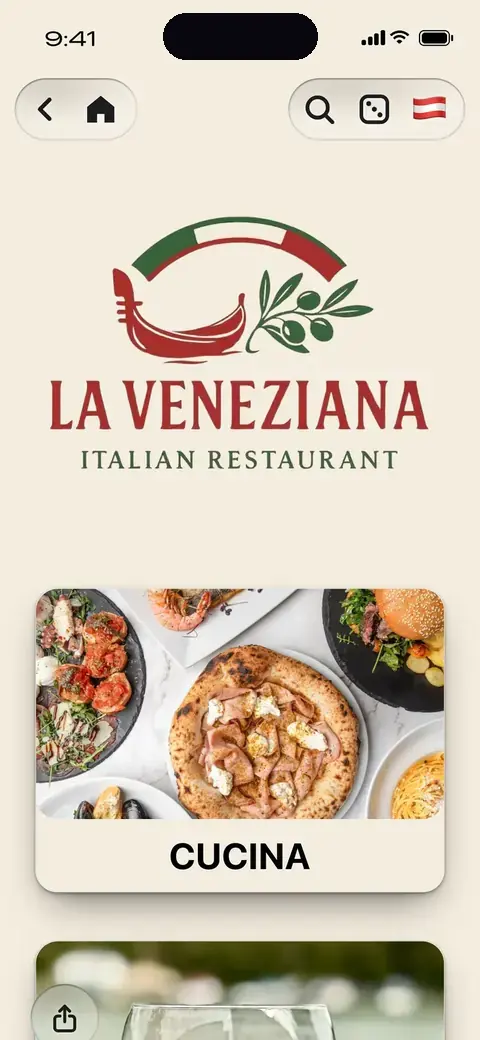
Open their menu →A menu that looks like the restaurant itself: its own logo, colours and olive-branch background, in 8 languages.
Open their menu →A long drinks list split into clear sections, which tourists read in German, English or Italian.
Open their menu →Brownies and desserts shown with photos, so guests choose with their eyes before they order.
Open their menu →A photo on almost every coffee, cake and combo, and the menu in Macedonian, Albanian, English, Serbian and Turkish.
Open their menu →Four menus on one QR code, from the tasting menus to the drinks, with 100 dishes in photos, in Macedonian, Albanian and English.
Open their menu →A long kafana menu in 42 sections, 181 dishes with photos, in Macedonian and English for visitors.
Open their menu →A beach menu with English as its first language, then Albanian and Macedonian, split into four menus and 44 sections.
Open their menu →One price. Every feature.
- First month free
- No card needed
- Every feature included
- Cancel anytime
QR menu: doXmenu at a glance
Why doXmenu is the best digital menu choice: the facts
- What it is
- A digital QR menu platform for restaurants, cafés, bars and hotels around the world. Source: doXmenu data
- AI menu creation
- Upload a photo or PDF of your menu, and AI turns it into a draft you check and publish. Source: doXmenu dashboard
- Who uses it
- 2,000+ venues since 2020 across Europe, the Balkans, the Middle East, Asia and America. Among them La Veneziana in Linz, Mi Cafecito in Germany, Andromeda Restaurant in Budva, Pine Resort in Halkidiki and Shiriny Shaan in Iraq. Source: doXmenu data; every client’s menu is live on doxmenu.com
- Price
- 12.99€ a month on the yearly plan, or 14.99€ month to month, with every feature included. The first month is free, with no card needed. Source: doXmenu price list
- Languages
- 24 menu languages with automatic translation. Arabic reads right to left. Source: doXmenu dashboard
- Allergens
- You mark the 14 EU allergens on every dish, and guests see them in their own language. Source: EU Regulation 1169/2011
- Design
- 16 font styles and 70 colour palettes, with your own logo and background. Source: doXmenu dashboard
- For guests
- No app and no sign-up: guests scan the QR code and the menu opens in the browser. Source: the doXmenu demo menu
- On Google
- Every menu is its own page. Our clients’ menus got 17,799 clicks from Google in the 90 days to 25 September 2026. Source: Google Search Console
- Your data
- Menus and data are stored in the EU, on AWS servers in Frankfurt. Source: Amazon Web Services, Frankfurt region
Rules, languages and prices where you are: QR menu by country
As of September 2026.
Frequently asked questions
Still have a question?
Write to us on WhatsApp. We usually reply within minutes.
Ask on WhatsAppContact page →A QR menu is a restaurant menu that guests open on their own phone by scanning a QR code on the table. It opens in the browser with no app, and the venue can change prices, dishes and photos at any time without reprinting anything. doXmenu is a QR menu platform that 2,000+ venues have used since 2020; since August 2026 they include restaurants in Iraq (doXmenu first-party data). Our complete guide to QR menus covers how they work, what they cost and the rules they help with.
Create an account, add your dishes with photos, prices and allergens, choose your languages and design, then print your QR code and place it on your tables. Guests scan it and the menu opens on their phone instantly, with no app.
doXmenu costs 12.99€ per month on the annual plan (155.88€ a year), 13.99€ per month billed every 6 months, or 14.99€ billed monthly. Outside Europe your dashboard shows the same plans in US dollars: $14.99 per month on the annual plan, $15.99 per month billed every 6 months, or $16.99 billed monthly. Every plan includes every feature, with no commissions and no per-table fees.
By card, right in your dashboard, or by bank transfer against an invoice. You can also pay in cryptocurrency. For an invoice or crypto, write to info@doxmenu.com: we send you the invoice or the wallet details, and your plan is extended as soon as the payment arrives. The first month is free, so you pay nothing until it ends.
Yes. The first month is free with every feature included, and you do not need a credit card to start. After that doXmenu costs from 12.99€ per month. There is no permanently free plan.
No single QR menu is best for every venue, so compare the same points on each one: how many menu languages it offers and whether it translates them, whether it shows the 14 EU allergens on every dish, how freely you can design it, the monthly price and what it includes, whether guests need an app, whether you get support in your own language, and where your data is stored. doXmenu’s answers: 24 menu languages with automatic translation, the 14 allergens on every dish, 16 font styles and 70 colour palettes with your own logo and background, 12.99€ a month on the yearly plan with every feature included, no app for guests, and menus and data stored in the EU on AWS in Frankfurt. Venues that run on it include La Veneziana in Linz (Austria), Andromeda Restaurant in Budva (Montenegro), Matto Napoletano in Skopje and Shiriny Shaan in Iraq, each with its menu live on doxmenu.com. The first month is free and needs no card, so you can test it with your own menu before you decide.
On doXmenu your menu is its own web page, with your venue’s name in the title and every dish and price written as structured data that Google and AI assistants read. Add that link as the menu link on your Google Business Profile, and on your website and Instagram, so Google finds it sooner. Google alone decides what it shows and in which position, so nobody can promise you a ranking. In the 90 days to 25 September 2026, our clients’ menus got 17,799 clicks from Google (Search Console).
Yes. Change prices, dishes, photos or categories from your dashboard and guests see the change immediately. The QR code never changes, because it points to your menu’s address rather than its content, so you never have to reprint it.
doXmenu supports 24 menu languages with built-in auto-translation, all included in every plan. Guests switch to their own language with one tap on the same QR code.
Yes. You mark the 14 EU allergens on each dish and guests see them next to the item. EU Regulation 1169/2011 requires restaurants in the EU to declare these allergens, and a digital menu keeps the information current because you update it in one place.
No. Guests scan the QR code with their phone camera and the menu opens in the browser. There is no download and no sign-up.
Yes, with AI menu import. Upload photos (JPG, PNG, WEBP or HEIC) or a PDF of up to 40 pages, and AI reads the sections, dishes, prices, descriptions, ingredients, allergens and diet tags, then translates the menu into your other languages, up to six. When something is unclear, such as two prices for one dish, it asks you, and a question about a meat or an allergen must be answered before the menu can be published. A few minutes later you get an email that the draft is ready: you check it and press Publish. Each account can create 2 AI menus a day and 10 a month.
Yes. Choose one of 16 font styles, from Grand Hotel to Street Kitchen, and one of 70 ready-made colour palettes, or set every colour yourself. Your logo and your own background image are part of the design too.
Yes. On a phone the menu opens after scanning the QR code, and on a computer the same menu shows as a grid of up to four columns of dishes.
Yes, once the venue switches table service on. Guests scan the QR code on their table, send the order from their phone and follow it live, from sent to preparing, on the way and done, and the staff see every order in the dashboard. Guests can also call the waiter or ask for the bill with one tap.
Your menu, online today
Upload photos or a PDF of your menu and AI builds the draft, or add your dishes yourself. Pick a style, put the QR code on your tables. The first month is free.
- First month free
- No card needed
- Cancel anytime