QR Code Menukaart: The QR Menu Guide for the Netherlands
How Dutch restaurants, cafés and eetcafés use a QR code menukaart: the terras, the borrel, lunch menus that change daily, the NVWA allergen rule and a setup that takes minutes.
Lunchkaart, borrelkaart and wijnkaart behind one QR code, in Dutch, English, German and French. Allergens on every dish, prices changed from your phone, and nothing on the terras to blow away.
Use a digitale menukaart you edit yourself. With doXmenu you build the menu in Dutch, add English and German on the same QR code, mark the 14 EU allergens on each dish, and hide what has sold out with one tap. Lunch, borrel and drinks cards sit behind one code. The first month is free; then 12.99€ a month on the yearly plan.
Nothing blows into the gracht: a QR code on every table, the menu on the guest’s own phone. Aluminium and stainless steel stands from the shop, or print the code yourself.
Once you switch table service on, groups call staff from the menu with a tap instead of waving across six pushed-together tables.
Your logo, colours, fonts and layout, from brown café to fine dining. There is no generic template.
Dutch, English, German, French and more of the 24 menu languages from one QR code, switched with one tap.
Upload photos or a PDF of your current menu and AI builds a draft in a few minutes, translated into your other menu languages. You check it and publish.
Mark the 14 EU allergens once per dish; guests see them by name next to the dish, in their own language.
All 24 menu languages are included in the price. Guests switch language with one tap, and a line you correct by hand stays as you wrote it.
Allergen information for unpackaged food may be given in writing (on the menu, on cards, or by pointing guests to where they can read it) or orally, as long as staff can always tell guests before they buy and the information is also ready in writing or electronically for staff and inspectors. It does not have to be on the menu itself.
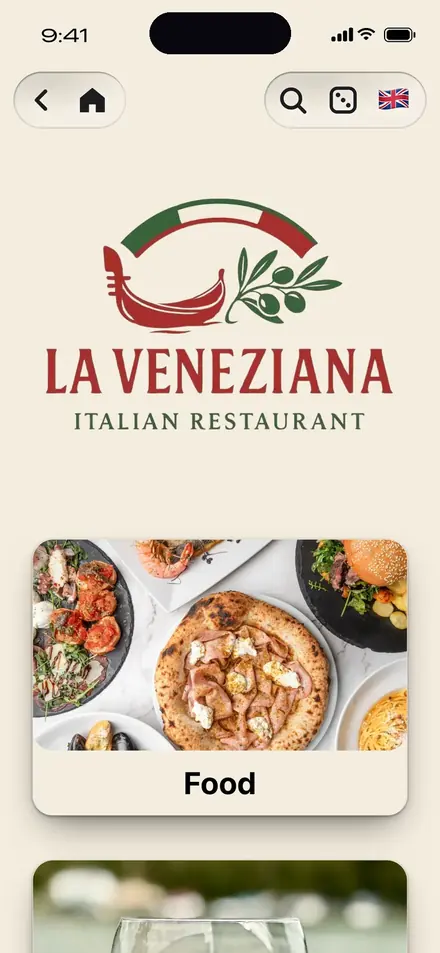
Source: NVWA, allergens in unpackaged foodLa Veneziana in Linz, Austria, already shows its menu in Dutch next to Austrian German, Italian, English, Spanish and French (menu read on 29 September 2026). Open it on your phone and switch the language to Dutch. In Dutch, read our page on the digitale menukaart.
Four steps from sign-up to the first guest reading your menu. Every change after that is live on every table at once.
Yes. Restaurants, cafés, eetcafés and hotels anywhere in the Netherlands, from Amsterdam and Rotterdam to Utrecht, The Hague and the coast, can sign up and go live today.
The first month is completely free, with every feature and no credit card. After that doXmenu costs from 12.99€ a month; there is no plan that stays free forever.
According to the NVWA, allergen information for unpackaged food does not have to be on the menu itself: you may give it in writing or orally, as long as staff can always tell guests and it is also ready in writing or electronically. With doXmenu the allergens sit next to each dish; the allergen file for staff and inspectors stays yours.
No. The menukaart opens in the phone browser after scanning, with no download and no account.
Yes. The menu carries your branding and atmosphere, borrel and drinks cards get instant updates, and once table service is on, guests can call staff from their table.
12.99€ a month on the yearly plan (155.88€ a year), 13.99€ a month billed every 6 months, or 14.99€ month to month. No commission, no fee per table.
How Dutch restaurants, cafés and eetcafés use a QR code menukaart: the terras, the borrel, lunch menus that change daily, the NVWA allergen rule and a setup that takes minutes.
A practical checklist for choosing the best QR menukaart platform in the Netherlands: terras workflow, languages, EU allergens and pricing without surprises.
A QR code menu is a restaurant menu guests open on their own phone by scanning a code on the table. How it works, what it costs, how to make one, and real examples.
Upload photos or a PDF of your menu and AI builds the draft, or add your dishes yourself. Pick a style, put the QR code on your tables. The first month is free.