
Seasonal Menu Management: How to Update Your Restaurant Menu Each Season
Seasonal menus bring guests back and put the best ingredients on the plate. Here is how to plan the changeover step by step, without reprinting every menu each time.
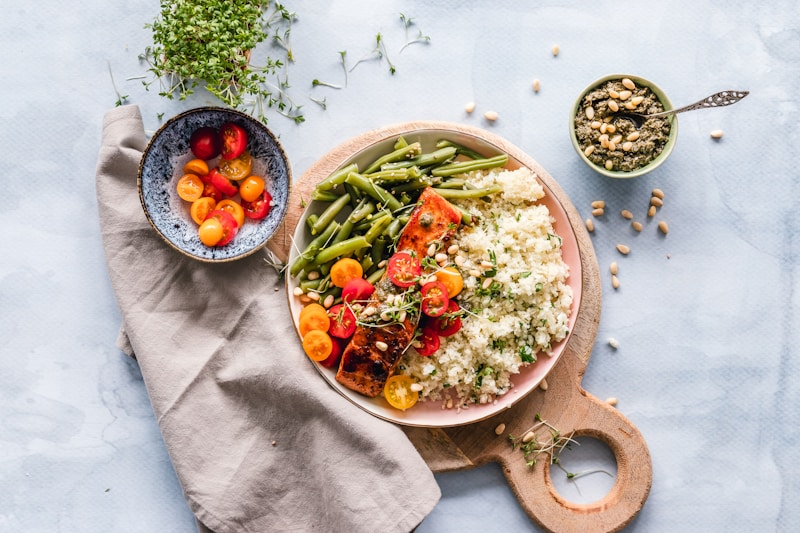
A seasonal menu is a menu that changes with the ingredients and the weather, usually two to four times a year, around a core of dishes that stay all year. Seasonal dishes use produce at its best and cheapest, give regulars a reason to come back, and let the kitchen try ideas without betting the whole menu on them. For most restaurants the hard part is not the cooking. It is everything around it: costing the new dishes, training staff, and reprinting every menu, on every table, in every language, each time the season turns.
How seasonal changes affect a restaurant menu
- Ingredients: produce in season tastes better and costs less, so seasonal dishes often carry better margins.
- Guest demand: guests want lighter, colder food in summer and richer, warmer food in winter.
- Service: a terrace season changes what the kitchen can send out quickly and what travels well to outdoor tables.
- Guests themselves: in tourist areas the summer crowd is different, and often reads the menu in another language.
- Prices: ingredient costs move with the season, so prices on some dishes need to move too.
Structure: the 70/20/10 approach
You do not need to rewrite the whole menu every season. A practical split:
- Core menu (about 70%): your signature dishes that stay all year.
- Seasonal dishes (about 20%): dishes built on produce in season, such as asparagus in spring, tomatoes in summer, mushrooms and truffles in autumn, game in winter.
- Limited-time specials (about 10%): weekly or monthly dishes that create urgency and test new ideas before they earn a permanent place.
Key steps to updating your menu for a new season
- Review last season. Pull sales per dish from your till. Which dishes sold, which were ordered only by staff, which had the best margin?
- List what is coming into season. Talk to your suppliers about what will be good, available and well priced in the coming months.
- Decide what leaves. Retire slow sellers and dishes whose ingredients are going out of season.
- Develop and cost the new dishes. Cost every recipe before it goes on the menu and set the price from the cost, not from the old menu.
- Test with your team. Cook each new dish for staff, time it on the line, and adjust before guests see it.
- Write the descriptions and take the photos. Use the season in the wording: "first asparagus of the spring" sells better than "asparagus".
- Update allergens and translations. New dishes mean new allergen information, in every language your menu offers.
- Brief front of house. Servers should taste the new dishes and know what to recommend.
- Switch on a quiet day. Change the menu before a slow service, then check it on a guest's phone and at the table.
Seasonal menu ideas
- Spring: asparagus, peas, wild garlic, lamb, lighter sauces, first herbs.
- Summer: salads, cold soups, grilled fish, shareable plates for the terrace, fresh juices, iced coffee and seasonal cocktails.
- Autumn: mushrooms, pumpkin, chestnuts, game, new-season wine.
- Winter: stews, braises and roasts, warm drinks, festive specials around Christmas and New Year.
Why the reprint is the real cost
Every seasonal change on a printed menu means designing, proofreading, printing and replacing every copy, and doing it again for each language you offer. Seasonal venues on the Adriatic and Black Sea coasts change their whole menu two to three times a year (doXmenu operator reports, 2026), and a typical 20 to 25 table restaurant spends 450€ to 1,000€ a year keeping paper menus accurate (doXmenu customer reports, 2026). That cost is why many restaurants postpone seasonal changes that would make them money.
Managing the changeover on a digital menu
On a digital menu the season changes in minutes. With doXmenu you can:
- switch dishes and whole categories between Available and Hidden, so last season's dishes wait for next year instead of being deleted;
- change prices, descriptions and photos from your phone, visible to guests immediately;
- add the new dishes in all your menu languages with built-in auto-translation;
- keep the same QR codes on every table, because the code points to your menu, not to one version of it.
Frequently asked questions
How do seasonal changes affect restaurant menu offerings?
They change which ingredients are at their best and cheapest, what guests want to eat, how the kitchen serves a busy terrace, and what dishes cost to make. Most restaurants respond by keeping a core menu all year and rotating a smaller set of seasonal dishes and specials.
What are the key steps to updating a restaurant menu for a new season?
Review last season's sales, list what is coming into season, retire slow sellers, develop and cost the new dishes, test them with staff, write descriptions and take photos, update allergens and translations, brief front of house, and switch the menu before a quiet service.
How often should a restaurant change its menu?
Most restaurants keep a core menu all year and change the seasonal part two to four times a year, with weekly or monthly specials in between. Seasonal coastal venues often change their whole menu two to three times a year.
What are some creative ideas for a seasonal restaurant menu?
Build dishes around one ingredient at its peak, such as spring asparagus or autumn mushrooms, run a short tasting menu of new-season produce, pair seasonal dishes with seasonal drinks, and use limited-time specials to test ideas before they join the main menu.
Change your menu with the season, not with the print shop. Try doXmenu free for a month, no credit card needed.


